With TikTok's global popularity, the demand for downloading videos from this platform has been growing significantly. However, many users are not entirely satisfied with the built-in download feature on TikTok due to various reasons.
Many users prefer third-party tools because they want to avoid watermarks and handle restricted content. In this guide, we will show you how to use SnapSave - a free TikTok video downloader that works on all platforms.
About SnapSave

- ✓Download high-quality videos without logos.
- ✓Support for Download Video TikTok on various devices: mobile, PC, and tablets.
- ✓Completely free and unlimited: SnapSave commits to not charging any fees.
- ✓Supports downloading TikTok videos in .mp3 and .mp4 formats for all devices.
- ✓Accessible via web browsers or Android apps.
How to Download TikTok Videos on iOS (iPhone/iPad)
Select the TikTok video you want to download on your phone.
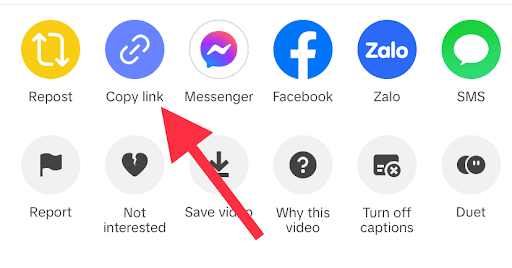
Tap on the arrow icon and select 'Copy link'.

Access SnapSave on your web browser at snapsave.fit.
Paste the link into SnapSave's toolbar and click Download.

Tap on Download Server 01.
Choose Download.

Save the video to your Phone via the Downloads icon and share to Photos Library.


How to Download TikTok Videos on Android
Download the SnapSave from Google Play Store.

Open TikTok and copy the video link you want to download.
Open SnapSave and paste the link into the toolbar.

Click 'Download Now' and wait for the video to be saved.
How to Download TikTok Videos on PC/Computer
Open TikTok in your web browser and copy the video link.

Go to snapsave.fit in a new tab.
Paste the link into SnapSave's toolbar and click Download.

Conclusion
The above instructions explain how to download TikTok videos on all three popular platforms: Android, iOS, and computers. With SnapSave, you can easily save your favorite TikTok videos without watermark, completely free!